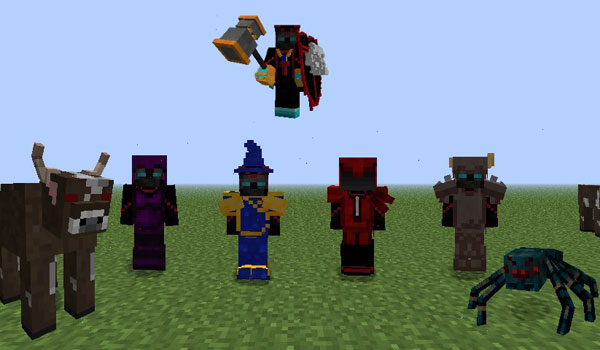
RPG Inventory offers us a new assortment of items of equipment for your character in Minecraft. This objects of equipment will enable us to acquire and improve our abilities, whether it be increasing our speed, jump, strength, increased healing, damage reduction, more experience and defense, among other values.
RPG Inventory Mod allows us to create rings, necklaces, bracelets, gloves and layers. These objects will enable us to strengthen some aspects of the character. Place these objects in a new inventory, which we will access by pressing “Shift + E”.

Relative post: Minecraft mod 1.10.2
In addition to these elements, you can create new sets of armor with new skills and functions. But not only armor, also new weapons with special skills that will facilitate the combat against enemies.
Videos:
For installing RPG Inventory Mod, all you need to do is:
- Download and install Minecraft Forge.
- Download RPG Inventory Mod.
- Open ‘mods’ folder found in the %appdata%/.minecraft.
- Drag and drop the downloaded mode files (.jar) to the ‘mods’ folder.
Download Links:
For minecraft 1.7.2
- Rpg Inventory Mod: Download from Server 1 – Download from Server 2
- Rpg Inventory and All Addons Included: Download from Server 1 – Download from Server 2
- Rpg Inventory Mod: Download from Server 1 – Download from Server 2
- Rpg Inventory and All Addons Included: Download from Server 1 – Download from Server 2
Author: senpaisubaraki
The post RPG Inventory Mod for Minecraft (1.10.2/1.7.10/1.7.2) appeared first on 24hMinecraft | The Best Minecraft Mods, Mods, Resource Pack.





/fit-in/580x348/filters:format(webp)/english-betterindia/media/media_files/2026/08/04/2-2026-08-04-18-31-45.png)

/pic9729642.png)




